← All guides
Products and services
A shared catalog that fills invoice lines, prices, taxes and stock automatically.
Products vs services
The catalog holds two kinds of items:
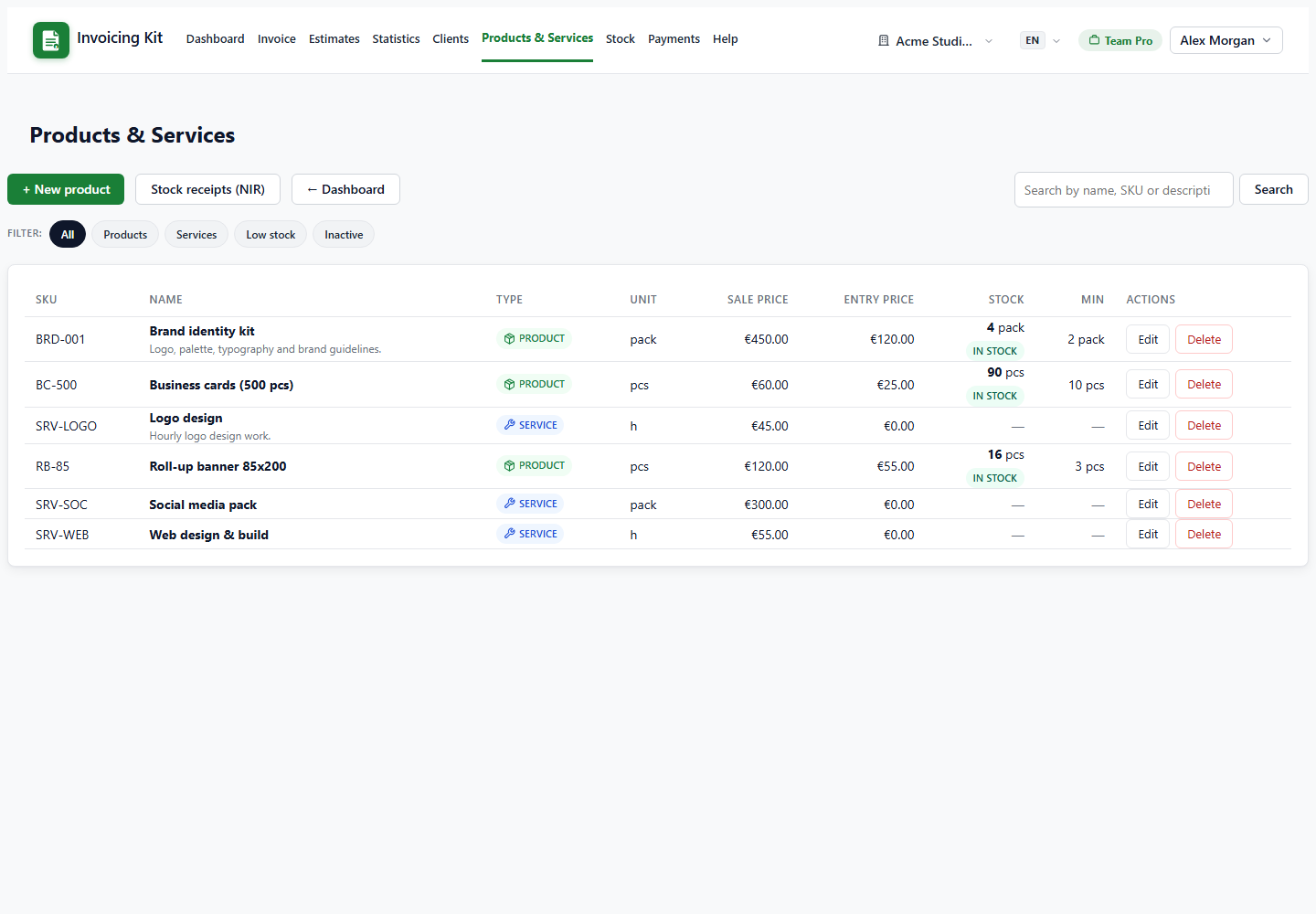
- Product — a physical item. It can track stock: current quantity, minimum stock and entry (cost) price. Products can be received through a stock receipt (NIR) and are decremented when you invoice them.
- Service — billable work (for example, hourly consulting). Services never touch stock; they are forced to zero stock and usually use a unit such as h, pack or service.
The catalog is shared by all companies in the workspace, so you define a product once and use it on any document.
Create a product or service
Open Products & Services → + New. Pick the type first (Product or Service); the form adapts to the chosen kind.
- SKU — optional, unique inside the account.
- Name — required; it is the text reused in autocomplete.
- Unit — picked from the unit list (pcs, kg, h, pack, …); unknown values are allowed too.
- Currency, sale price and tax rate — applied when the item is selected on a document.
- Entry price (products only) — your cost; used by stock receipts and stock valuation.
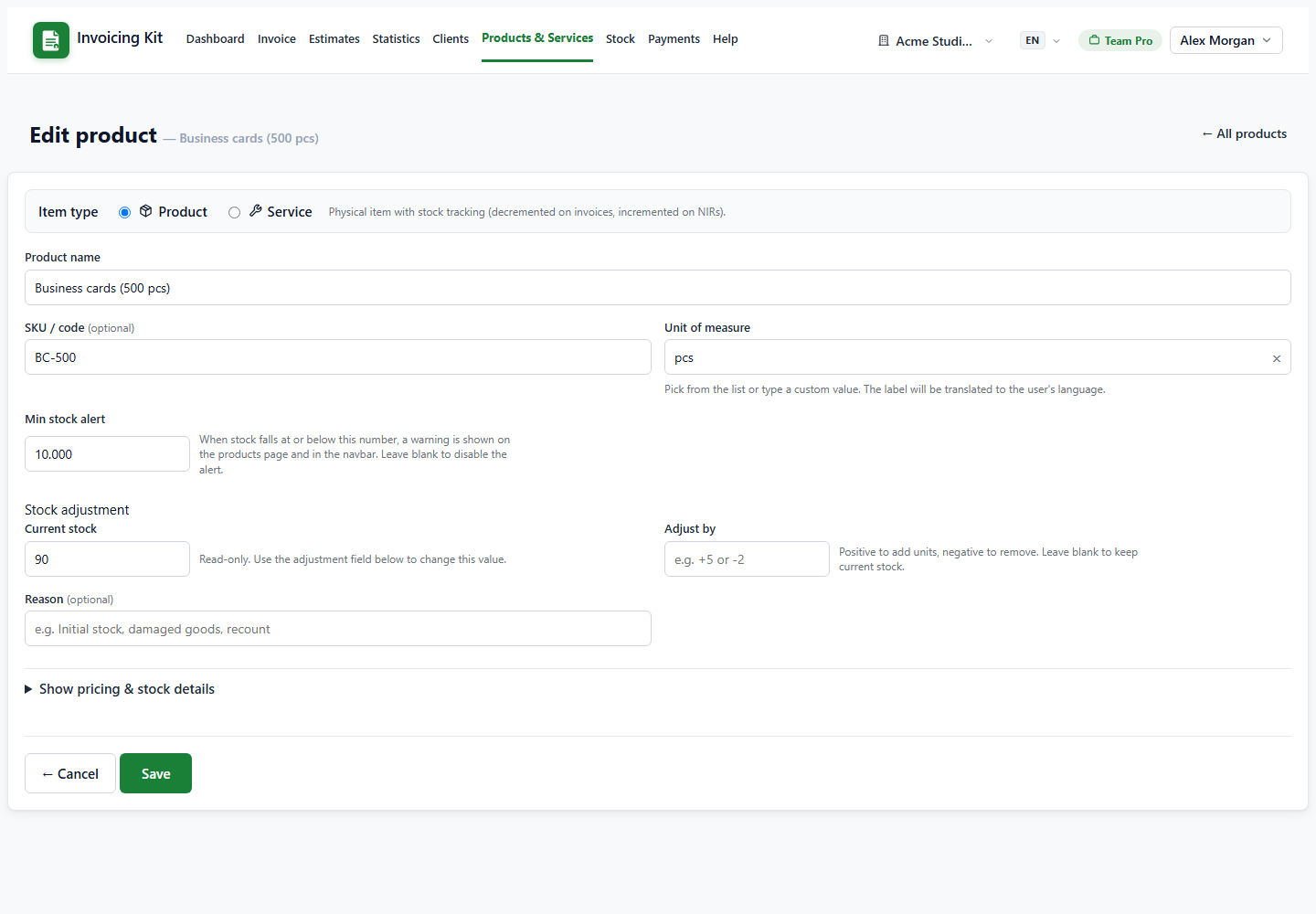
- Minimum stock (products only) — drives low-stock warnings.
- Active — inactive items disappear from autocomplete but remain on historical documents.
Important: current stock is not editable directly in the product form. It only moves through a stock receipt (adds) or an invoice (subtracts), so the quantity always has a traceable history.
Use the catalog on documents
In an invoice, estimate or recurring profile, type in the line description. Matching products and services appear with their price, unit and live stock. Selecting one fills the description, unit price, tax rate and the link to the product.
- Stock — saving a sent invoice decrements tracked products; editing the invoice restores the old quantities and applies the new ones; deleting the invoice restores them. Services are ignored.
- Currency conversion — if the product currency differs from the document currency, the editor asks whether to convert the price. Accepting fetches the exchange rate, stores an audit trail and shows the converted unit price; declining keeps the original price.
- Quantity vs stock — invoicing more than available is allowed with a warning; stock can go negative until you receive new goods.