← All guides
Payments received
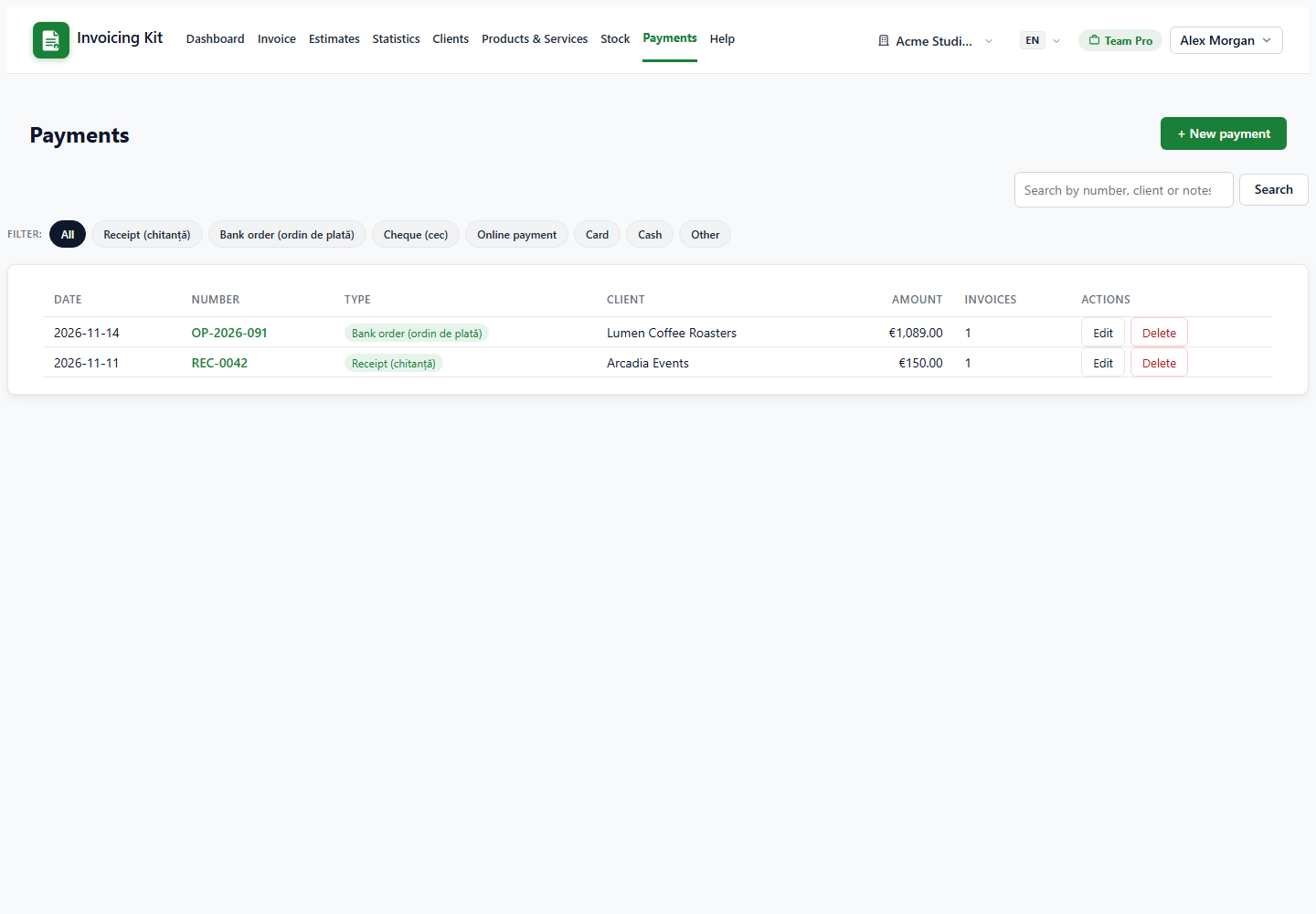
Record money collected from clients and allocate it to one or more invoices.
Record a payment
Open Payments → + Record payment. A payment is one receipt from a client (bank transfer, receipt, cheque, card, cash or other).
- Client — the dropdown lists all clients with a counter of open invoices.
- Amount — the total received. The currency must match the currency of the invoices you allocate to.
- Date / type / reference / notes — for your records and the payment history.
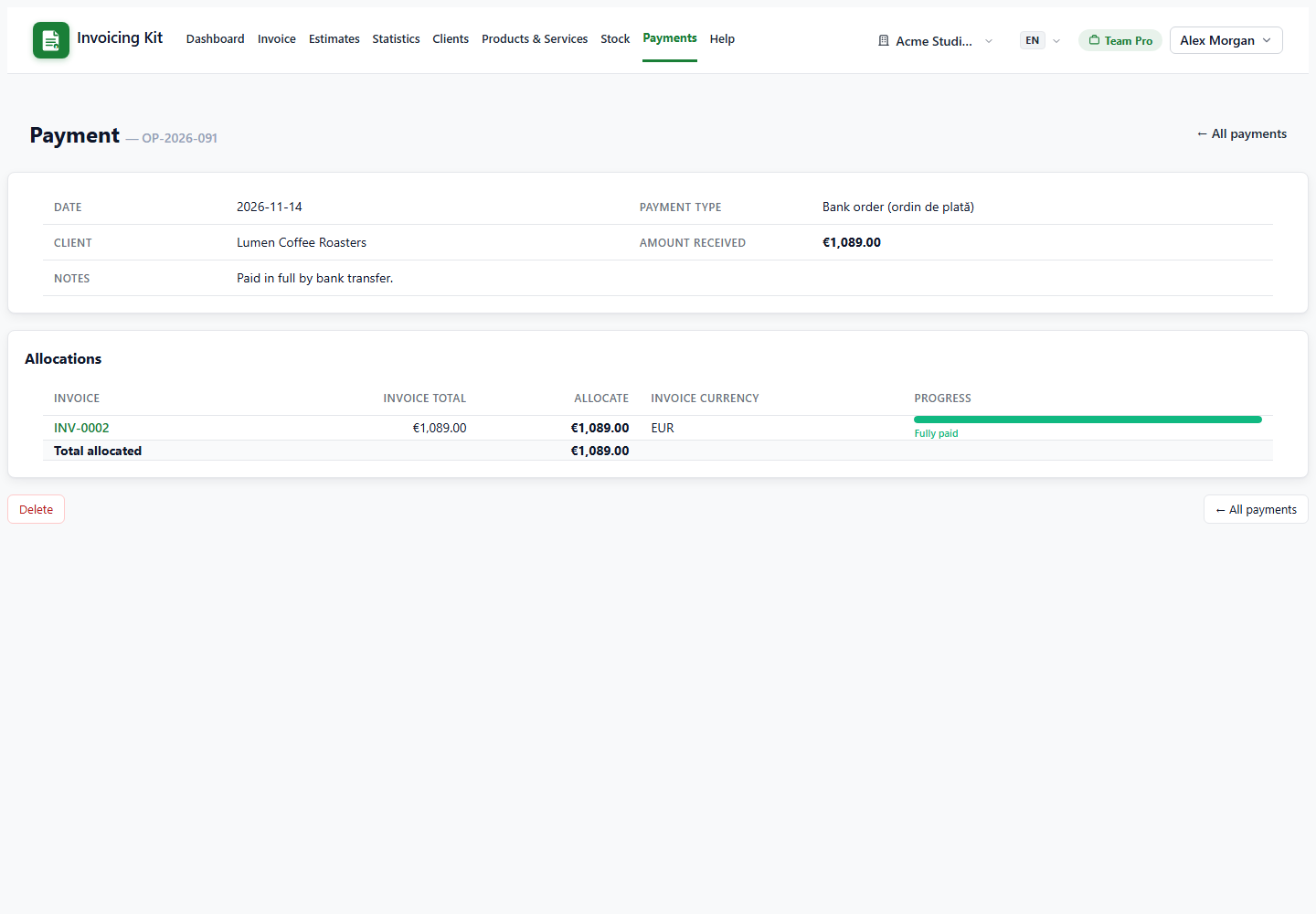
- Allocations — select the open invoices of that client and enter how much goes to each. You cannot allocate more than an invoice balance.
One payment can cover several invoices; a partial amount leaves the invoice partially paid.
What happens to the invoices
Saving a payment recalculates each affected invoice from its allocations:
- amount_paid becomes the sum of all allocations.
- An invoice covered in full switches to Paid.
- A partially covered invoice stays Sent.
- An Overdue invoice stays Overdue until it is fully covered, then becomes Paid.
- Deleting a payment removes its allocations and re-derives the status of every invoice it touched.
Invoices that have payments cannot be deleted — remove the payment first.
Rules and safeguards
- The payment currency must match the invoice currency; mixed-currency allocations are refused.
- Invoices from another company of the workspace cannot be allocated — switch to that company first.
- Allocations cannot exceed the invoice balance; the app validates both on the page and on save.
- The payment details page shows the amount, currency, allocations and the resulting invoice statuses.
Tip: use the client dropdown counters to see at a glance who still has open invoices before recording a payment.